DigiFM-Optimal
DigiFM-Optimal turns an SDR7020 into a complete FM broadcast transmitter. Everything is in the FPGA of the 7020: an audio processor like broadcasters use, a stereo coder with RDS, an FM transmitter and an FM receiver. Plain stereo sound goes in, an FM stereo broadcast with RDS comes out. No PC in the audio path and no delay. The Windows program is in Dutch.
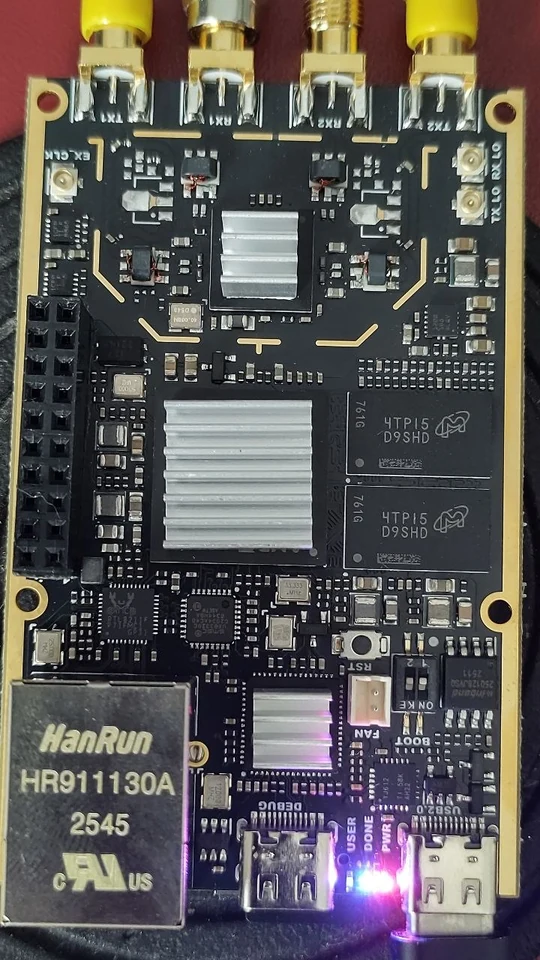
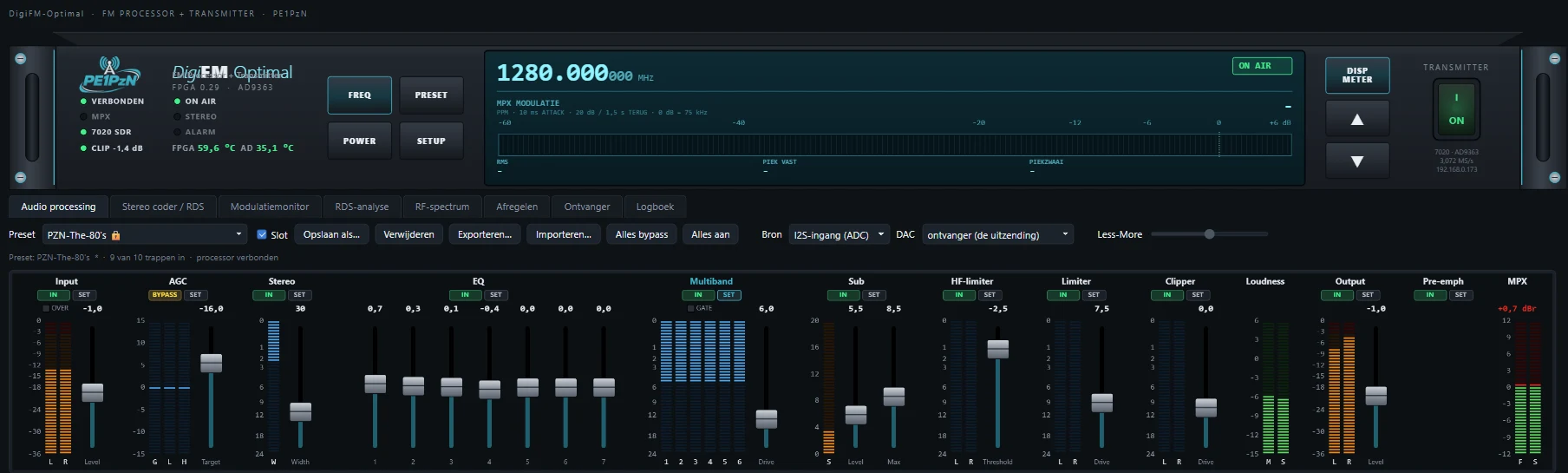
With the web version you no longer need a PC to transmit. Everything runs on the 7020, and you operate it in a web browser, also from another PC or a tablet. Nothing needs to be installed.
- Put everything from the folder SD-kaartje DigiFM-Optimal V2.01 straight onto an empty FAT32 card (not in a folder).
- Card into the 7020, network cable in, switch on.
- After about a minute, in the browser: http://IP-address/ (the IP address is in your router).
- Everything on the card, including your settings. Nothing is written to the 7020's memory. To remove it: take the card out and restart.
- Keep your settings from the Windows program: put digifm_instellingen.json on the card as optimal/instellingen.json.
- The transmitter keeps running, also when no browser is open. The page only calculates what is visible on the open tab.
- Alignment is much faster: a whole band of 13 points in about 6 minutes, and below the graph you see where it is and how long it still takes.
- Prefer Windows? The Windows version 1.0.1 can still be downloaded.

With the web version everything runs on the 7020 itself and the browser is the control desk. With the Windows version that is the program on the PC. Both look the same: you set everything with it, you see all the meters on it and you measure your own broadcast with it.
- Audio processor with AGC, equalizer, multiband compressor, sub bass, HF limiter, final limiter and clipper.
- Stereo coder with pilot, RDS and a composite clipper.
- FM transmitter with MPX clipper and a steep 200 kHz channel filter.
- FM receiver from 70 MHz to 6 GHz, playing straight to a DAC board.
- Modulation monitor: deviation, pilot, RDS, MPX power in dBr and the MPX spectrum. The 7020 measures the deviation and the MPX power itself, ten times per second.
HARDWARE
PC
- Take an empty micro SD card, FAT32. If you use your digiWUFFUM card, first keep a copy of all files on your PC.
- Unzip the zip. Put all files from the folder SD-kaart DigiFM-Optimal 1.0.1 straight onto the card, so not in a folder.
- Was there a config.txt with a fixed IP address on your old card? Put it back on.
- Card into the SDR7020, power on. After a good half minute it is ready.
A home network with 192.168.2.x (for example KPN) works too: the card then moves the USB address of the 7020 to 192.168.77.1 by itself.
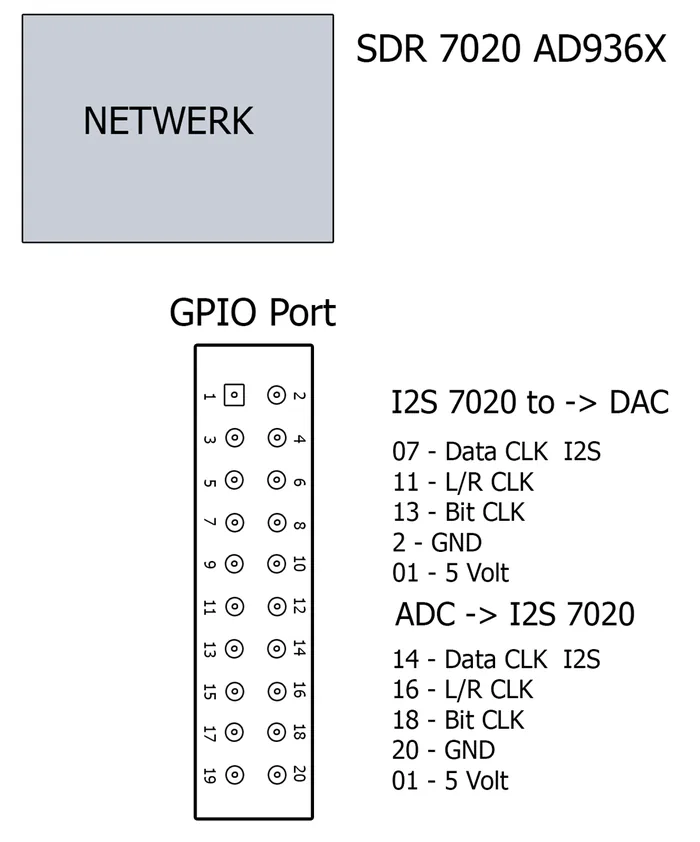
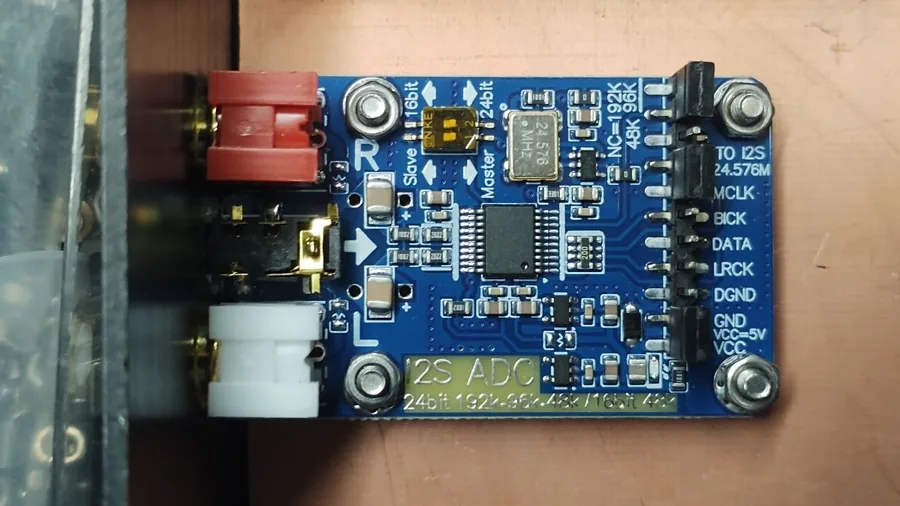
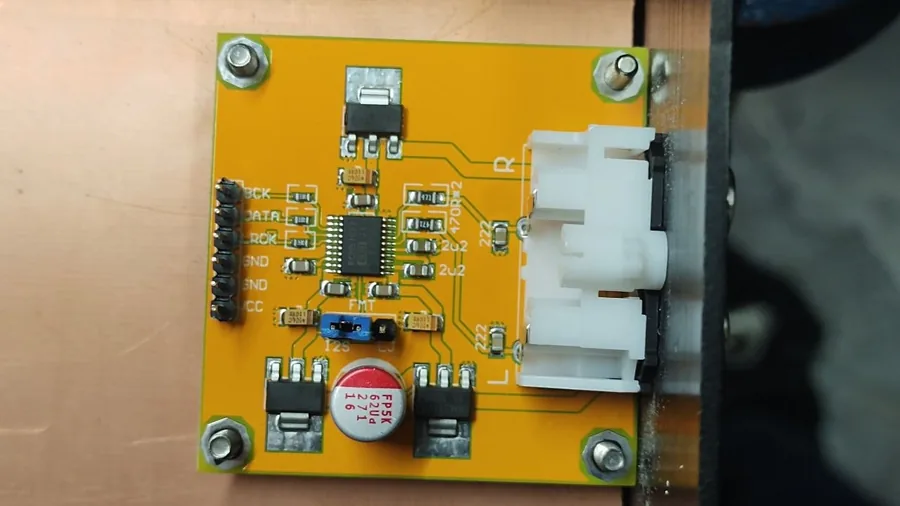
ADC BOARD (SOUND IN)
DAC BOARD (SOUND OUT)
- Put the folder programma DigiFM-Optimal somewhere on your PC, for example in C:\DigiFM-Optimal.
- Start DigiFM-Optimal.exe. Windows warns the first time (the program is not signed): click More info and then Run anyway.
- Press Zoek (search) next to the IP address. The program finds the 7020 via USB or on your network. Then Verbinden (connect).
- The log then shows FPGA DigiFM-Optimal 0.29. Switch the transmitter on at -10 dB, into a dummy load.
- On the modulation monitor switch Start monitor on, with Pluto/7020 and RX2.
In Task Manager you will then see more than one DigiFM-Optimal. That is as it should be: the monitor and the receiver each calculate on their own core of your PC.
→ Stereo coder (pre-emphasis, composite clipper, pilot, RDS) → MPX clipper → channel filter 200 kHz → FM transmitter
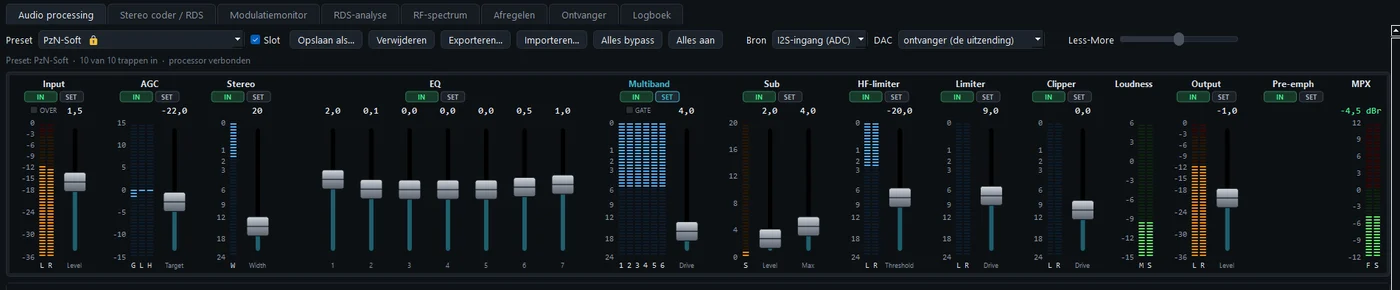
| STAGE | WHAT IT DOES |
|---|---|
| Input | Setting the level right. |
| AGC | Slowly evening out quiet and loud songs. With 3-band also the bass and the treble: play a song that sounds good and press Leer (learn). |
| Stereo | Making the stereo image wider. |
| EQ | Colouring the sound, with 7 bands. |
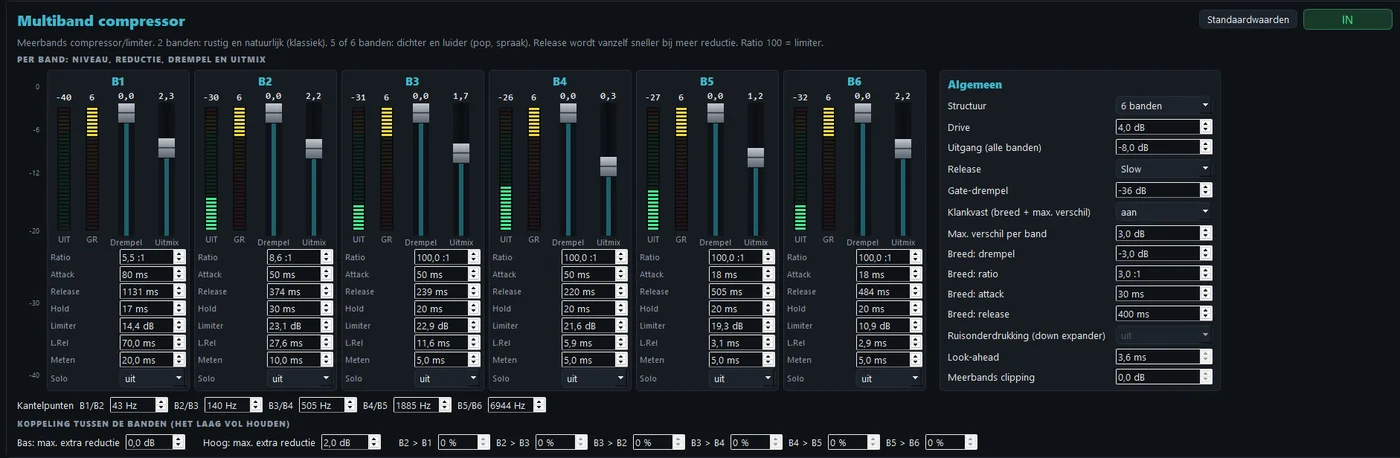
| Multiband | Making the sound dense and even, per frequency band. Klankvast (tone lock) keeps the tonal balance the same, even when it works hard. |
| Sub | Extra deep bass (0 to 20 dB), with Sub max as a calm limiter. |
| HF limiter | Taming the S sounds and hi-hats, so it does not sibilate. |
| Final limiter | Catching the peaks, without delay. Default drive 13. |
| Clipper | Cutting off the last peaks. It is fixed at -6 dB: the output can never get louder. |
| 15 kHz | Everything above 15 kHz removed, so the pilot stays clean. |
| Output | The level to the stereo coder. With this you set the deviation. |
There is no delay in the processor: no look-ahead and no buffer. You hear yourself back immediately, even on a radio in the same room.
An FM transmitter has a 200 kHz channel. Everything has to fit in there. Go outside it, and your neighbour suffers. The secret: the peaks may not go higher, but the average may go up. The closer the sound sits against the 75 kHz, the louder.
| MPX POWER | HOW IT SOUNDS |
|---|---|
| 0 dBr | Neat, spacious, lots of dynamics. |
| +2 dBr | Solid, still very open. |
| +4.5 dBr | This is where most commercial broadcasters are. Loud and full. |
| +6 dBr | The maximum that can be reached cleanly with this transmitter. Above it, it starts to distort. |
Step by step
- MPX clipper on the modulation monitor: Clipper aan (on), limit 73 kHz, knee 1.5 dB. A small knee is important: a large knee also rounds off the pilot, and then the gap around 19 kHz fills with junk. The channel filter is always fixed at 200 kHz.
- Stereo coder: pilot 9 %, RDS around 3 kHz, pre-emphasis 50 µs.
- Choose a preset to start with, for example PzN-Radio.
- Play solid music. Turn the Output of the processor until the peak deviation is around 70 to 75 kHz.
- Composite clipper: Comp. clip aan (on), and raise the drive step by step. This gives the most dBr. Watch the MPX power: +4.5 dBr is a nice target.
- Does it sibilate? Switch the HF limiter on, split point around 9500 Hz, and lower the threshold (around -30 dB) until it is gone.
- Does it distort? Less drive on the composite clipper, less clipper drive, or choose a slightly lower MPX power.
- Does it sound good? Opslaan als… (save as) under your own name. The clippers are saved along with it.
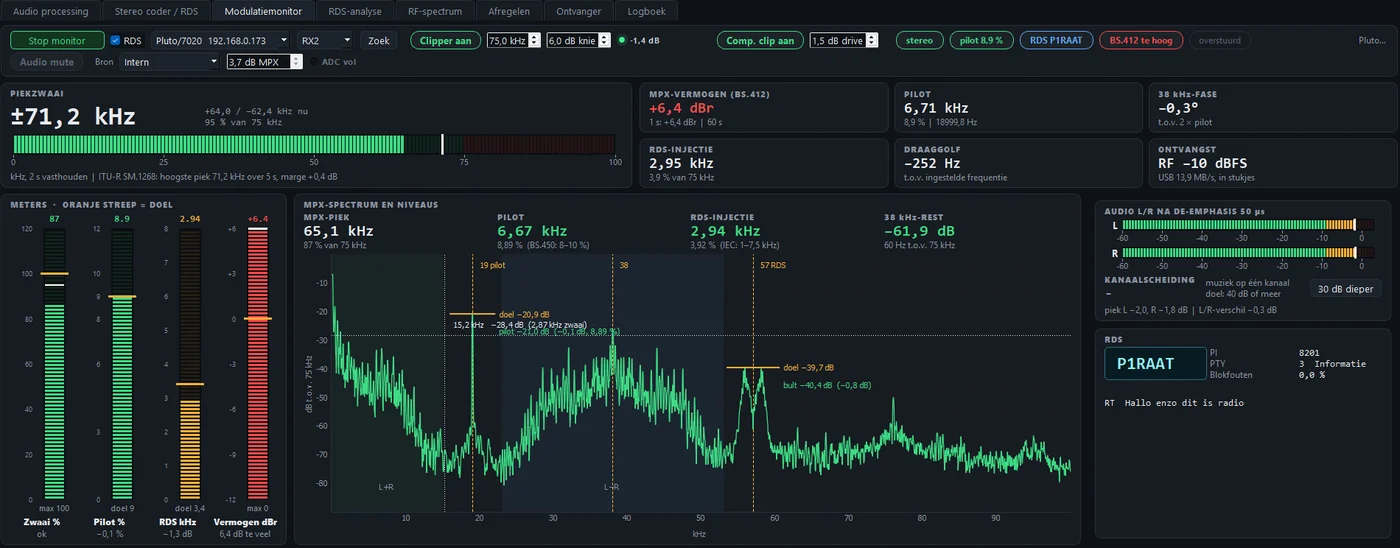
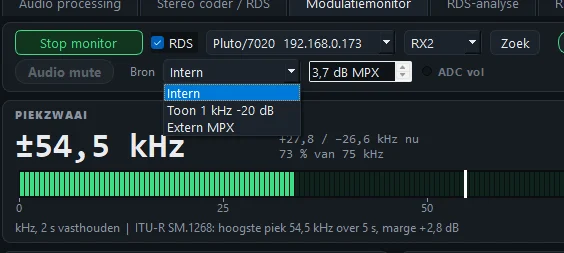
| BUTTON | WHAT IT DOES |
|---|---|
| Clipper aan | The MPX clipper, the last safeguard for the transmitter. Recommended: 73 kHz and knee 1.5 dB. The lamp shows how many dB it removes. |
| Comp. clip | The composite clipper on or off (green = on), with the drive in dB. |
| Audio mute | Music off, pilot and RDS stay on. The button turns red. After a restart mute is always off. |
| Bron: Intern | Normal: the sound via the processor and the stereo coder. |
| Bron: Toon | 1 kHz at -20 dB, that is 7.5 kHz deviation, mono, with pilot and RDS added. Handy to check your deviation and your receiver. |
| Bron: Extern MPX | The ADC (left input) goes straight to the transmitter, as with digiWUFFUM. Processor and stereo coder then do nothing; the MPX clipper stays on. First set dB MPX to -8 and then turn up to the deviation meter. |
| ADC vol | Turns red when the ADC is at full scale. Then turn the source itself down: the slider does not help there. |
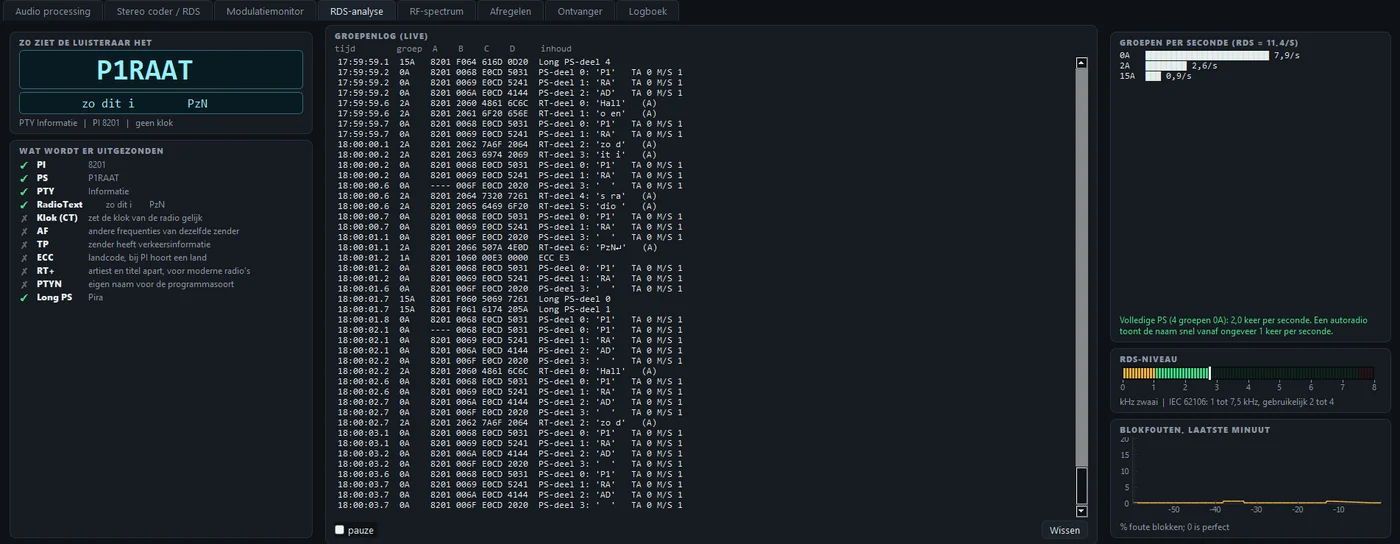
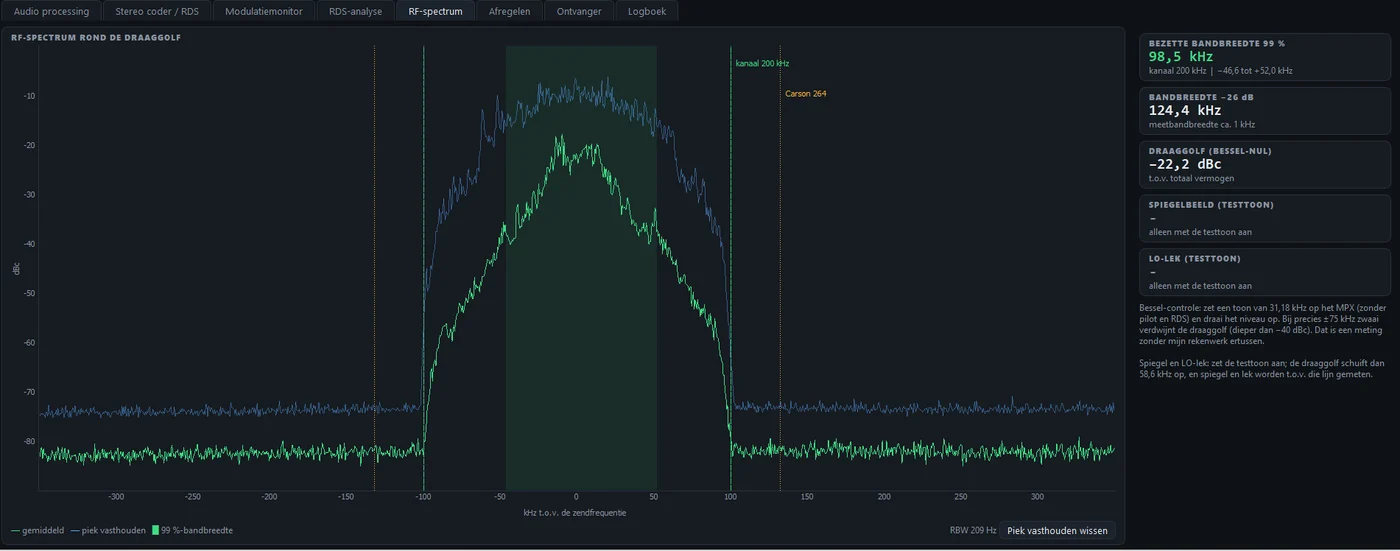
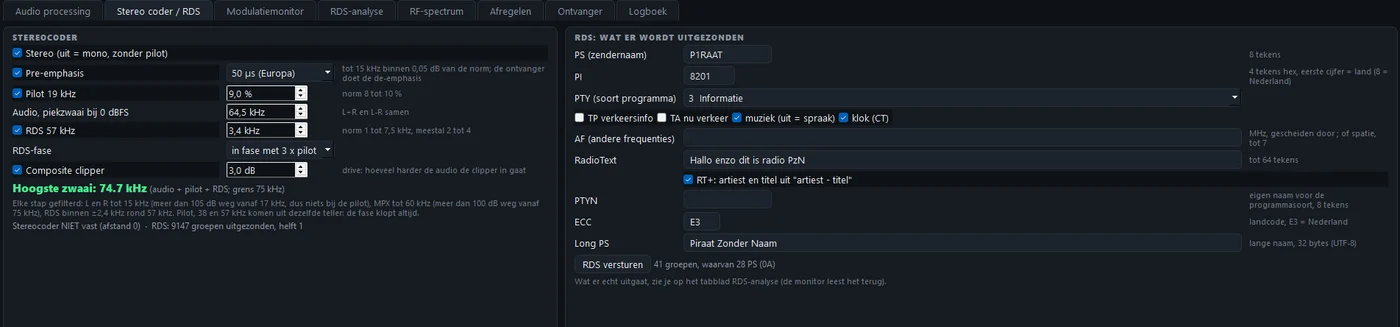
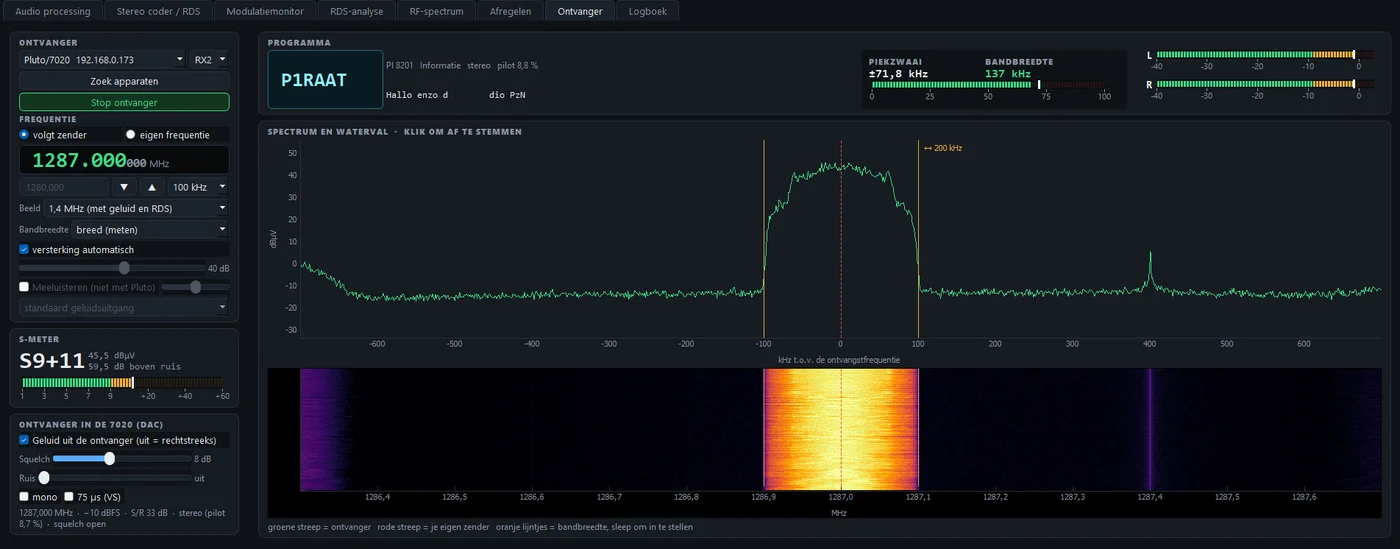
The 7020 also contains its own FM receiver. The sound goes straight to the DAC board, without delay. Transmitting and receiving work at the same time.
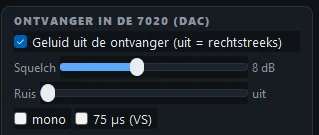
Squelch softly mutes the sound when the signal is too weak. Ruis (noise, 0 to 10) suppresses noise: first stereo gradually goes to mono, then the treble goes down as well. Set it as low as you can.
When you close the program, the DAC goes silent.
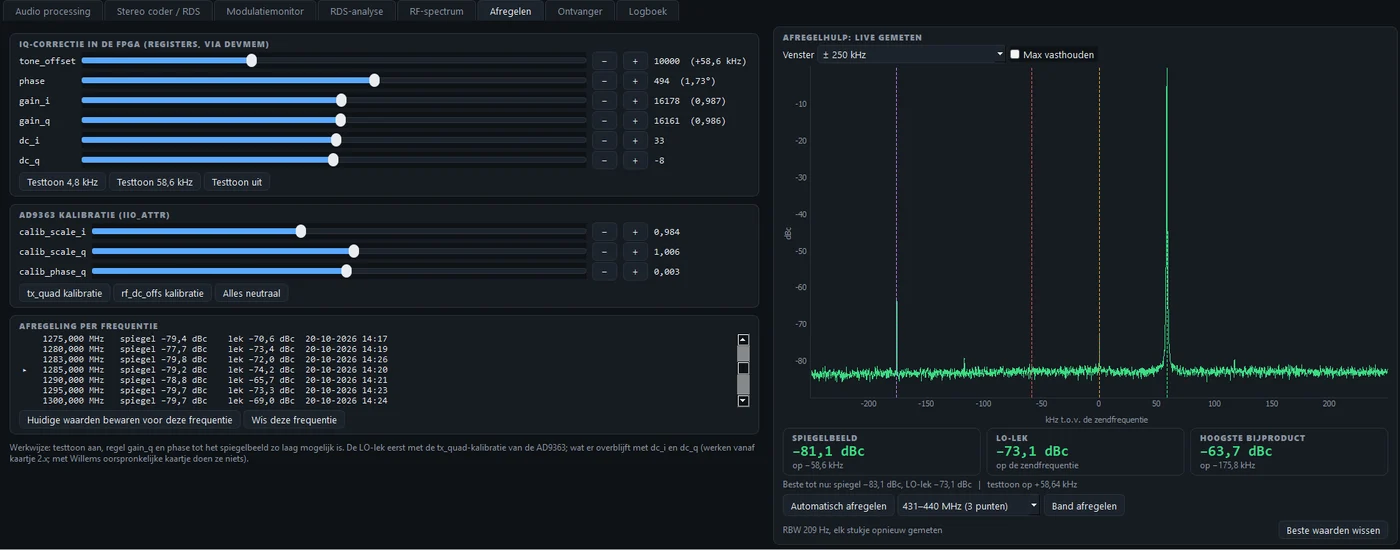
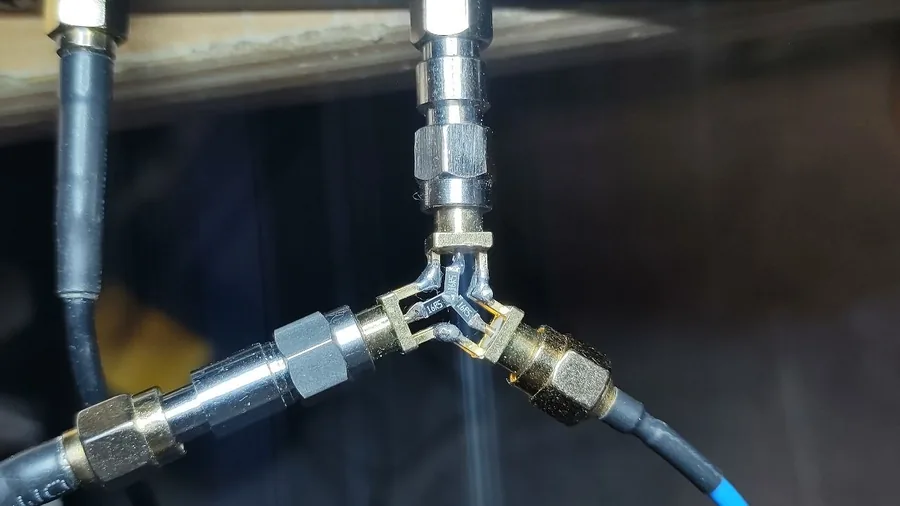
A transmitter like this always makes a little image and a little carrier leakage, and how much differs per frequency. Connect TX1 via 30 dB to RX2, or use a splitter. Click Automatisch afregelen (automatic alignment), or go through a whole band in steps of 5 MHz with Band afregelen. Every frequency goes into a list.
New: the alignment stays. The AD9363 aligned itself slightly differently at every start-up, and then your list was no longer right the next day. Now the program also stores the state of the chip, and puts everything back exactly after off and on. Frequencies you aligned with an older version, align once more.
| PRESET | CHARACTER |
|---|---|
| PzN-Radio | The all-round radio station of PE1PzN. Full bass, open treble. |
- Slot (locked). The supplied preset is locked: it cannot be overwritten or deleted. If you want one gone, untick Slot and press Verwijderen (delete). A deleted preset does not come back by itself.
- What is in it. All controls of all stages, plus the composite clipper and the MPX clipper.
- Export and import. With Exporteren… you tick which presets you want to keep, as a .json file. With Importeren… you bring them back in. Handy as a backup, or to give your sound to someone else.
- Every source is different. See the presets as a start, adjust by ear and save under your own name.
Does something not work as you expect? First look in the manual (chapter on solving problems).
Sending the log: go to the Logboek (log) tab, click in the text, press Ctrl+A (select all) and Ctrl+C (copy), and paste it into an e-mail or message to PE1PzN. Add a line about what you were doing when it went wrong.
The program is not signed with a certificate. So Windows warns at the first start with Windows protected your PC. Click More info and then Run anyway. If you want to be sure you have exactly my file: check the SHA-256 checksum in PowerShell with Get-FileHash filename.zip.
Thanks
The FPGA design it started from, with the FM modulator, is by Willem, PE1PCF (on GitHub). Thanks to Willem for the enormous amount of time he put into it. The processor, the stereo coder, the Windows software and the manual are by PE1PzN.